
Last Updated on March 14, 2026 by KnownSense
As a developer, understanding generative AI modalities is essential: generative AI isn’t one model or one capability — it’s a diverse ecosystem of specialized models built for specific tasks. In AI, a modality refers to the type of input or output being used. This includes text, image, audio, video, code, and more.
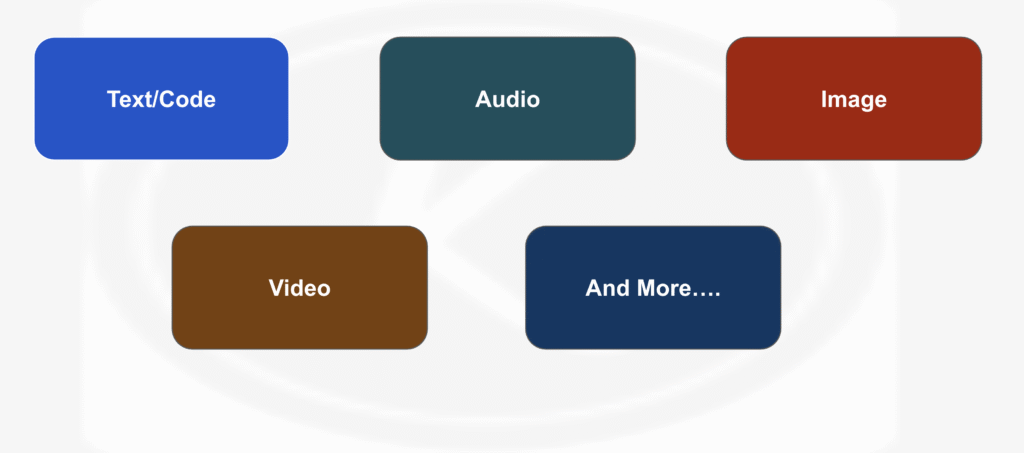
We’ll cover text-based LLMs used for research, summarization, and writing. We’ll also look at code-optimized models for software development, and image and video generation models that create visuals from prompts.Understanding the differences between these generative AI modalities will help you choose the right tool for your workflow.
But first, a quick contrast. Traditional machine learning models were narrow. They predicted values, classified images, or detected spam. Generative models, however, do something fundamentally different: they create. Whether it’s writing blog posts, generating working code, or producing photorealistic images, these models essentially go beyond prediction to production.
LLMs for Summarization and Research
Among generative AI modalities, LLMs for summarization, research, and QA are the bread and butter. In fact, text-based LLMs are the most widely used gen AI models. They can summarize documents, conduct real-time research, and answer questions using current information via search.
Summarization
Modern LLMs can digest long documents and extract key facts. They provide bullet-point summaries, executive overviews, and structured outputs like JSON. You can also specify tone, style, and length. Some tasks that we do on a regular basis are taking transcripts from meetings to create an action‑item list or even articles and emails as well as extracting the main points. As a result, it serves as a second memory, saving everyone time while improving productivity and quality of work.
Real‑time Research
Do you remember the time when you asked a question and ChatGPT would say, sorry, but I don’t know of events after, and then give you a date? That is no more. Many models now have access to the web and can perform research on the go. You can ask questions, and they will pull recent articles, reference live documentation, and provide citations and links. In other words, asking the LLM for references is one of the best ways to avoid hallucinations.
But as always, it’s important to know the limits. LLMs without browsing rely only on their training data. But even with browsing, results may be incomplete or biased. The data retrieved can itself carry bias.
Because of this, always verify critical information independently. For example, a developer might look up the latest library documentation. Similarly, a product manager could summarize customer feedback, or an analyst could generate a market trend overview.
Coding with Gen AI: Going Beyond Autocomplete
If you’re a developer, you’re going to love this. Code models are a special class of LLMs trained on repositories like GitHub. Some of the most popular examples include GitHub Copilot, DeepSeek Coder, and the code-focused Claude models. These tools don’t just autocomplete. They generate entire functions, tests, documentation, and even full applications. They are not here to replace you, they are here to help you improve your productivity as a developer. It’s one of the most valuable time savers.
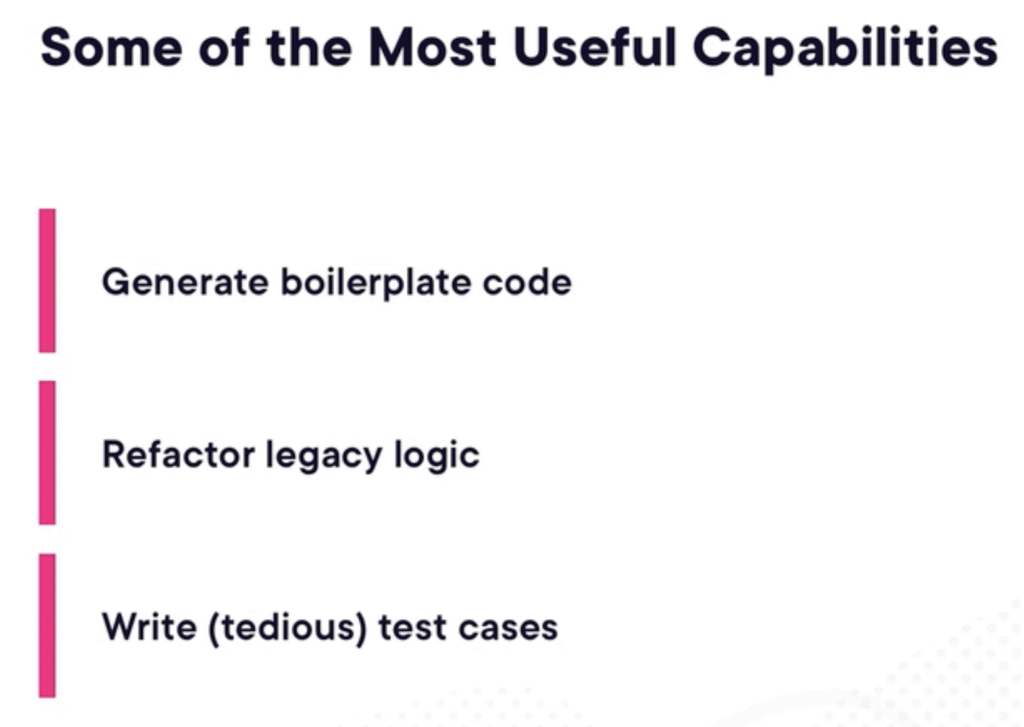
What sets them apart is their tokenization and training data. Both focus on structured syntax and security patterns.
But as always, it’s important to understand the limits. Verification should be your primary directive as a developer. The biggest risk is models that suggest insecure or incorrect patterns.
What does “insecure” mean? Some models may suggest code that introduces vulnerabilities, such as SQL injection. Others might hallucinate imports or functions that don’t exist. In some cases, the code compiles but still fails critical tests. As a developer, your job isn’t to blindly trust the code. Instead, validate and secure it. Always run static analysis tools and review outputs carefully. Good use cases include rapid prototyping of small modules and generating documentation. Additionally, these models help when reviewing unfamiliar codebases for clarity. As said earlier, code-focused models are not here to do your job — the commit is still your responsibility. Rather, they are here to help you write code faster, generate snippets from plain-language descriptions, and ultimately make you a better developer.
Image and Video Generation Models
Now let’s move from text and code to something more visual.
Diffusion Models
Image models create completely new visuals from your text prompts. These models use diffusion — a generative technique that transforms random noise into detailed images. This happens through multiple refinement steps. Some of the most popular image models today include:
- DALL·E (OpenAI) — delivers high prompt fidelity and strong text rendering.
- Midjourney — offers fine artistic control and stylized results.
- Imagen(Google) — produces impressive outputs across a range of styles.
- Stable Diffusion — provides an open-source, highly customizable option for enterprise use.
Consequently, each model interprets your prompt slightly differently. Some emphasize realism, others prioritize creativity or control.
Generative models for temporal data
Imagine describing an idea — not sketching it, not designing it, just describing it — and getting presentation-ready visuals in seconds. This saves significant time and money, and it has already transformed workflows for designers, marketers, and educators.
Video-based models take this a step further. They capture motion, light, and perspective with astonishing realism. You don’t just tell stories with these tools — you direct entire worlds where creativity has no boundaries. Image and video generation models give you visual creativity on demand, transforming words into scenes. These models unlock powerful applications across roles — not just for developers:
- Content automation — Generate explainer videos or background footage without a camera crew, cutting a major production cost.
- Rapid prototyping — Visualize storyboards, UI animations, or ad concepts in hours instead of weeks or months.
- Education and training — Turn scripts into narrated scenes for online learning platforms.
However, the ease of generating realistic visuals also raises serious ethical and legal questions — and that responsibility falls on the people using these tools. As a developer, you should use built-in safeguards and content filters, clearly disclose AI-generated content, and respect creative rights and personal likeness.
Multimodality: Connecting Text and Vision
The most significant recent breakthrough is not simply better image or video models — it is the emergence of models that unify multiple modalities into a single system.
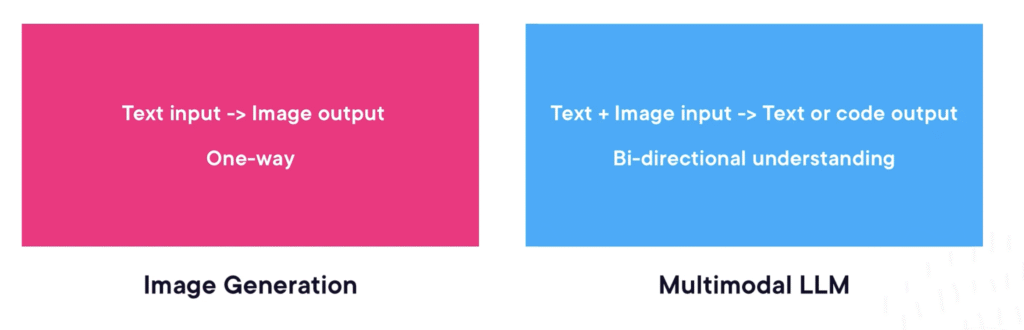
Today’s frontier models are truly multimodal. They accept text, images, and even audio within the same prompt. As a result, they generate responses that draw on the combined context. To appreciate the shift, consider the difference. With a standalone image generation model, the interaction is one-directional — you provide a text prompt and receive an image. A multimodal large language model, by contrast, can receive text and an image together. It then produces text, code, or even another image in return. This bidirectional understanding opens an entirely new class of applications. A few stand out, particularly for developers:
- UI/UX prototyping — Upload a hand-drawn sketch or a screenshot of an existing interface, and ask the model to generate the corresponding HTML, CSS, or front-end code. What once required hours of manual translation from design to markup can now happen in a single prompt.
- Visual debugging — Paste a screenshot of a failed UI test alongside the relevant stack trace, and ask the model to identify the error in the associated code. The results are remarkably precise — if you have not tried this workflow yet, it is worth experimenting with.
- Data interpretation — Feed the model a chart or graph, and ask it to summarize the key insights in natural language. This bridges the gap between raw visualization and actionable understanding, making data accessible to non-technical stakeholders.
Choosing Specialized vs. Multimodal Models
With so many model types available — text, code, image, video, and now multimodal — a practical question emerges: when should you reach for a specialized model, and when does a multimodal one make more sense?The answer matters more than it might seem. The quality of your results depends directly on matching the task to the model’s strengths. A poor match doesn’t just produce weaker output. It also wastes time and introduces risks that a better-suited model would avoid entirely. As a general guide, consider what each category does best:
- High-precision code work — Specialized code models deliver the structural accuracy, syntactic correctness, and security-aware patterns that general-purpose LLMs cannot reliably guarantee.
- Deep research and RAG workflows — Specialized text LLMs provide stronger summarization, retrieval, and reasoning over long-context material, making them the better choice for knowledge-intensive tasks.
- Cross-modal interpretation — When a task requires reasoning across both text and images — visual Q&A, UI reviews, document understanding — multimodal models are the right tool, precisely because they were designed to process multiple input types together.
- Creative and artistic work — Specialized image models offer far greater control over style, composition, and visual fidelity than a general multimodal model can.
The rule of thumb is simple: match the task to the modality, and the model will do its best work.
A Decision Framework
If you want a more systematic approach, three questions can guide the choice:
- What is your input format? If the task involves mixed text and images, a multimodal model is usually the right fit. If the input is purely text or purely code, a specialized model will likely outperform.
- Does the task demand structure, creativity, or precision? Specialized models tend to excel when precision is critical. This is especially true for coding, analysis, or domain-specific reasoning. Multimodal models, on the other hand, shine when flexibility across formats matters more than depth in any single one.
- What are the risks? All models can hallucinate, but the nature of the risk varies. Image models introduce intellectual property and copyright concerns. Code models carry security vulnerabilities that require closer scrutiny. Therefore, understanding these trade-offs upfront helps you put the right guardrails in place.
When you align the task to the right model modality, the benefits compound. You save time and reduce errors. Moreover, you avoid forcing a model to do something it was never designed for. In turn, the model becomes more predictable, more accurate, and far more useful in real-world workflows — and your development process becomes measurably more efficient as a result.
Conclusion
Generative AI modalities do not represent a single tool — they form a growing ecosystem of specialized and multimodal models, each suited to different tasks and workflows. The key to using it effectively lies not in chasing the most powerful model, but in understanding what each modality does best and matching it to the problem at hand. As these models continue to evolve, developers who build that judgment early will be the ones who get the most out of them.